Fixing Word 2008 for Mac
Microsoft changed the default file format in Office 2008 for Mac, and this may create problems when sharing documents with anyone who is not using the latest versions of Office (2007 for Windows, 2008 for Mac). To work around this issue, you must change the default file format.
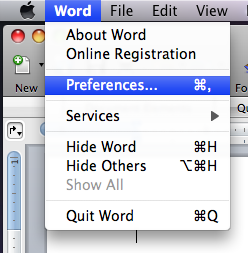
In Word 2008, pull down the Word menu and select Preferences...:
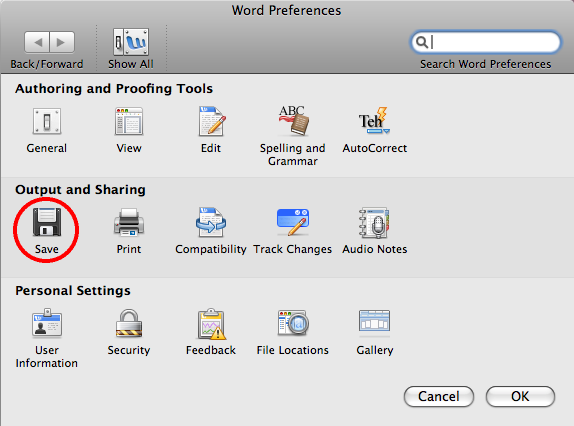
Click the Save icon:
Click the Save Word files as: pull-down menu, and select Word 97-2004 Document (.doc):
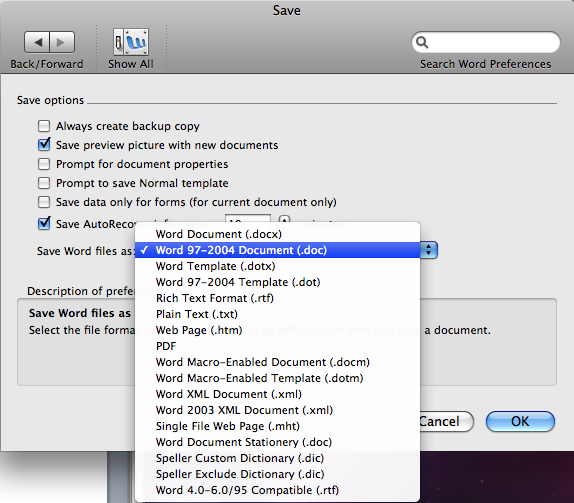
Click OK and close the settings window. The default document format will now be compatible with older versions of Word.